Invite teammates and manage dashboard access
Invite authorized teammates, assign roles, update access, and report incorrect roles or suspected account compromise.
Updated
Owners and admins can invite teammates to help manage a website and assign each person a role. Invite only people authorized to access your business content, visitor data, and any operational or billing controls available to their role.
Invite a teammate
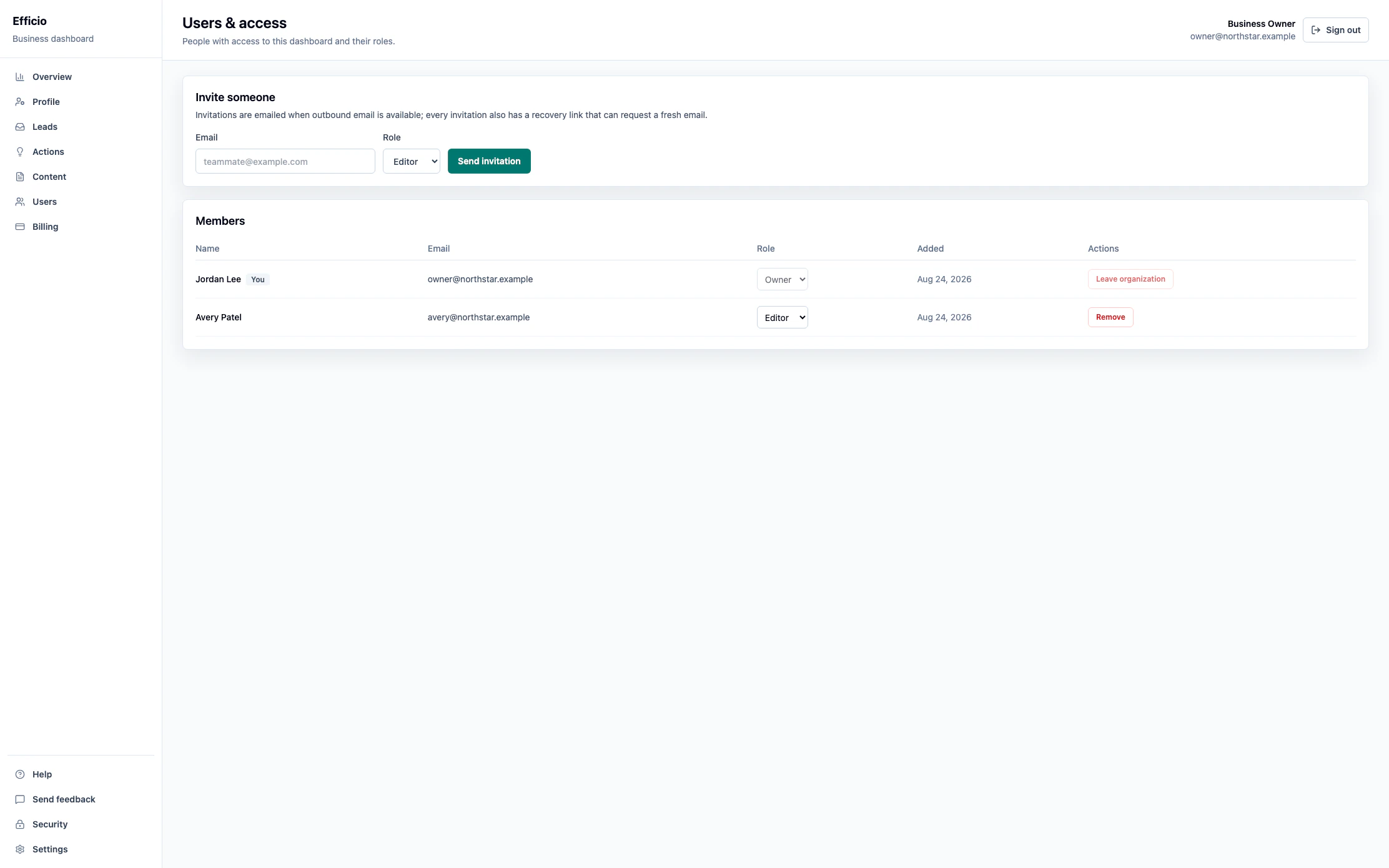
- Sign in as an owner or admin and open Users in your dashboard.
- Under Invite someone, enter your teammate's email address.
- Choose a role from the Role menu, then select Send invitation.
- Ask your teammate to use the invitation to join your organization. Invitations are emailed when outbound email is available; each invitation also has a recovery link that can request a fresh email.
Keep roles and membership current
Available roles include owner, admin, editor, and viewer. Owners and admins can act for your organization, including changing business settings, publishing content, managing billing, reporting spam, and connecting domains. Assign roles carefully.
- Review the Members list on the Users page.
- Use an available role selector to update a teammate's role.
- Use Remove when someone is no longer authorized to access the organization.
You are responsible for the people you invite and for keeping access current. Protect your own credentials and maintain access to your account email and domains.
Report an access problem
Promptly notify legal@effic.io if you discover unauthorized use, suspect account compromise, or find an incorrect account role. For help with invitations or routine access questions, email support@effic.io.