Edit your website and update your business details
Use the live preview to edit content, add pages, and keep contact details current without automatically changing your live website.
Updated
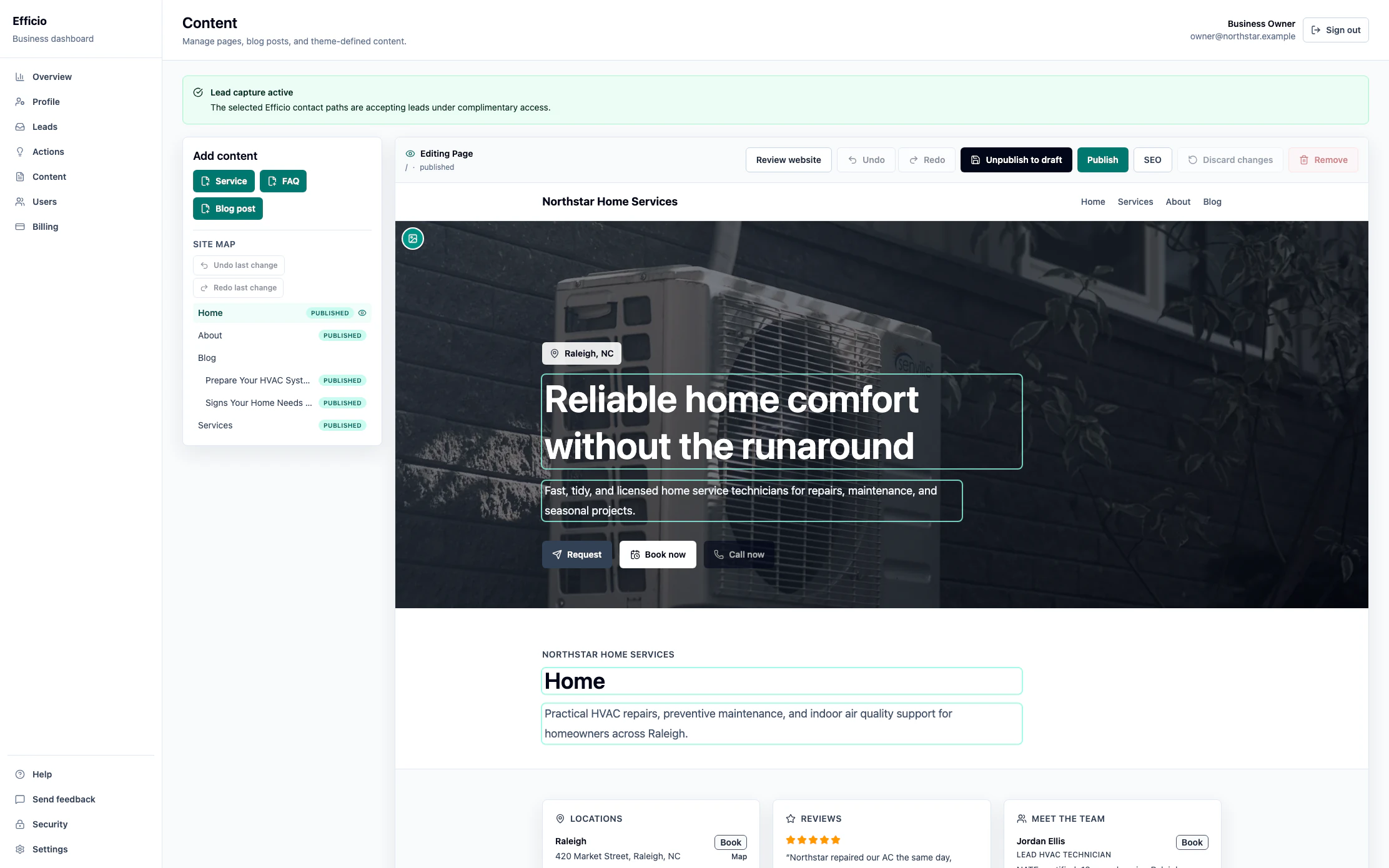
You can edit your website in context and review changes before publishing them. Preview edits and content drafts do not automatically appear on your live site.
Edit pages in the live preview
- Open Content in your dashboard.
- Choose a page from the site map or browse through the preview as a visitor would.
- Edit text, headings, images, and lists where they appear. The preview updates as you work.
- Review your changes in context. Use Undo or Redo if you need to reverse an edit.
- Use the available save or publish control when you are ready. Publish only after checking the result.
Update details used across your site
Open your business profile to update contact details, opening hours, locations, and selected lead-capture options. These details appear across your site and affect how visitors reach you.
You can change or turn off integrated lead-capture options without unpublishing your website. Unused included leads remain available for later. Turning capture off does not cancel an existing paid subscription; use Manage billing to cancel paid service.
Add pages and content
In Content, use the add-content options for the content types you enabled during setup, such as services, FAQs, or blog posts. Create specific pages that explain what you offer, then review and publish them when ready.
Check before publishing
- Confirm business facts, prices, locations, availability, credentials, offers, and links.
- Check that claims are accurate and supported. Do not publish fabricated reviews or AI-generated testimonials presented as real customer experiences.
- Confirm that you have the rights and permissions needed for images, logos, reviews, team information, and other imported material.
- Review any industry-specific notices, disclosures, and requirements. Our drafting tools do not replace your review or professional judgment.
After launch, edits and suggested revisions stay separate from your live content until you explicitly publish them. We never publish those changes for you.
If you need help editing your site, email support@effic.io.