Use action reports and recommended content drafts
Review recommendations, create content drafts, add context for the next report, and understand when new reports are prepared.
Updated
Action reports review your published website and prioritize recommendations designed to improve traffic, leads, conversion, and search visibility. You decide which content changes to publish.
Work through your recommendations
- Sign in to your dashboard and open Actions.
- Review your open recommendations, their priorities, and expected impact.
- Where an action offers Create draft, select it to prepare the suggested content.
- Open the result in the content editor. Check the facts, wording, claims, images, and links, then make any needed edits.
- Publish the draft only if it fits your business. Once you have finished an action, use Mark completed.
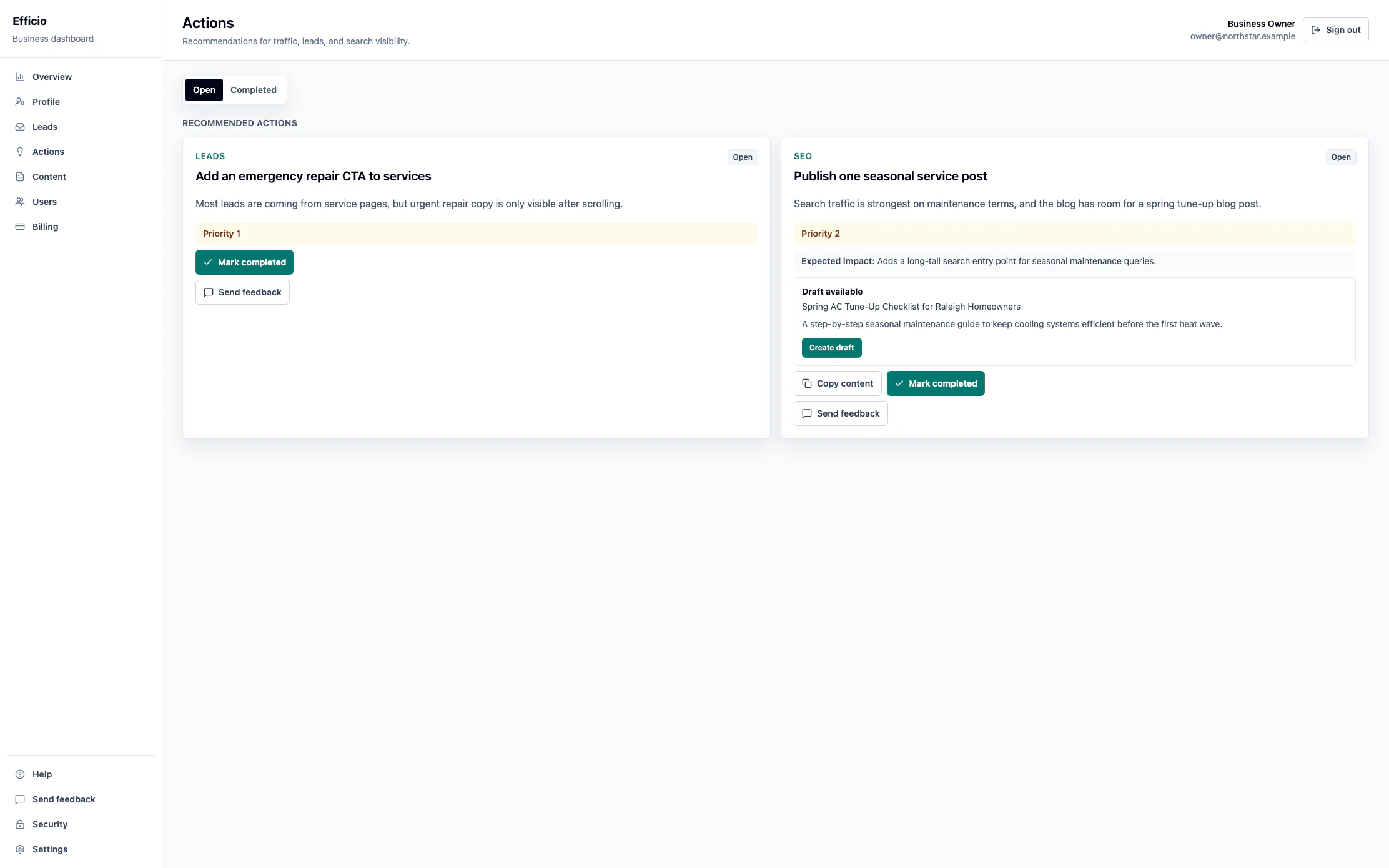
Creating a draft never changes the live website by itself. Recommendations and generated content still require your review, and they do not guarantee a particular ranking, traffic level, or business result.
When the next report is prepared
You do not request a report. When report automation is enabled for your site, completing the final open report action starts the configured countdown immediately. The next report is prepared after that interval. Any open report action pauses the lifecycle until it is completed.
When a new report is applied, its actions replace the previous report's still-open actions. Your completed action history remains available.
Add context for the next report
Eligible team members can save, edit, or clear up to 2,000 characters of context on the Actions page. Do not include confidential information or customer information.
- Saving context does not create a report.
- The context is used once when the next report job is successfully created.
- If report creation is blocked, your context stays saved for the next eligible run.
If you need help with Actions or report availability, email support@effic.io.